Free Reverse Email Lookup: What Works in 2026
You have an email address and need to understand its public footprint. It may belong to a suspicious sender, appear on a receipt, or be the only clue shared by someone you met online.
A reverse email lookup can organize public pages, reused usernames, profile references, domain context, and supported exposure signals around that address. It cannot prove ownership when the evidence is missing or access a private account.
Run the masked email preview
Check the address against the live public-source preview before deciding whether the source-linked report is worth $9.99.
No account required for the masked preview. Profile Crosscheck: $9.99 once. No subscription.
What Reverse Email Lookup Actually Reveals
When supported by reachable public evidence, a reverse email lookup can surface:
- Candidate names — only when a public source directly cites the email
- Public profile references — possible Facebook, Instagram, X, LinkedIn, TikTok, forum, or creator links
- Dating-adjacent clues — public profile references, reused usernames, and visible web signals
- Username pivots — the local part of the address or a username stated by a source
- Website and business context — domains, contact pages, directories, or registrations that publish the address
- Broad location context — only when a cited page supplies it
- Exposure signals — supported aggregate infostealer status or breach notices from a dedicated service
People reuse address usernames, but the same local part can also belong to unrelated people. Treat each result as a candidate until another independent source supports it.
Reverse Email Lookup Methods
Let's start with what costs nothing. These methods require manual effort but can produce results.
1. Google Search (Yes, Really)
The simplest method is often overlooked. Paste the email address into Google — in quotes — and see what comes up:
- Try
"example@gmail.com"(with quotes for exact match) - Try
example@gmail.com site:linkedin.comto search specific sites - Try
example@gmail.com filetype:pdfto find documents containing the email - Search the username portion (before the @) — people reuse usernames everywhere
Effectiveness: Low to medium. Works best for unusual emails or professional addresses. Generic Gmail addresses rarely return useful results.
2. Search public profile pages and reused usernames
Most major platforms do not expose a dependable public email-to-account search. Use public citations instead:
- Search the exact email in quotes alongside a platform or company name.
- Search the address username separately across public profiles and forums.
- Review public business pages, bios, contact pages, and link pages that state the address.
- Require another clue, such as a matching website, role, location, or username, before treating a profile as connected.
Do not use account-recovery screens or upload someone else's contact details. Those methods can trigger messages, expose your contact list, and still do not prove who controls an account.
3. Have I Been Pwned & Breach Databases
Check if the email appears in known data breaches at HaveIBeenPwned.com. While it won't give you the owner's name directly, it tells you which services they use — which narrows your search significantly. If they were in the 2023 LinkedIn breach, for example, you know to focus there.
Effectiveness: Low for identification, high for narrowing the search field.
4. Gravatar & Avatar Services
Gravatar (globally recognized avatar) links profile photos to email addresses. Visit https://www.gravatar.com/avatar/<MD5_hash_of_email> — if they have a Gravatar, you'll see their photo and possibly their display name. Run the email through an MD5 hasher first.
Effectiveness: Low, but zero effort. Worth the 30 seconds it takes.
5. Google Images
If you find a profile photo associated with the email (via Gravatar, social media, or elsewhere), run it through Google Images or a reverse image search tool. Photos travel further than names do.
Effectiveness: Medium-high when you have a photo. Photos are the most persistent digital identifier.
Free and paid reverse email approaches compared
No tool should promise a definitive owner for every address. Compare the evidence model, billing, and limits before paying:
| Approach | What it can support | Billing | Main limit |
|---|---|---|---|
| PrufAgent | Masked preview, public-source candidates, source links, confidence labels, and supported exposure signals | $9.99 one time | Public evidence can be sparse or inconclusive |
| Manual public search | Quoted email, username, domain, profile, Gravatar, and breach-notification checks | Usually free | Slow, fragmented, and easy to over-correlate |
| Subscription people-search service | Provider-specific contact and public-record aggregation | Often account or subscription based | Coverage, freshness, geography, and current terms vary |
| Dedicated exposure service | Breach notices or security exposure tied to an address | Free or paid | Exposure does not identify a profile owner |
Most people-search tools focus on public records. PrufAgent focuses on public-source signals around the clue you already have: reused usernames, visible profile links, public web mentions, and dating-adjacent references when they are actually visible.
Why Free Tools Fall Short
Here's the uncomfortable truth: many reverse email lookup tools in 2026 are mostly lead generation funnels. They promise a search, then hit you with a paywall before showing results. Or they show you a city and age but nothing actionable.
There is still a real cost to collecting current public pages, normalizing conflicting clues, checking source reachability, and labeling uncertainty.
That doesn't mean you need a recurring account commitment for every lookup, though. Single-report decision flows exist, and for most people doing a private search, they're the smarter play.
How to Get the Most Out of Any Email Lookup
- Start with the free methods first. Google, social media search, Gravatar. Exhaust everything that costs nothing before spending a cent.
- Combine search signals. If the email search gives you a phone number, run a phone lookup. If it gives you a username, search that. One search unlocks the next.
- Check multiple emails. People often reuse different emails for different parts of their online life. If you only search one address, you may miss public clues connected to another handle or inbox.
- Search the username separately. The part before the @ is often reused across platforms. A username search can reveal accounts the email search missed.
- Don't stop at the first result. Cross-reference. One data source confirming something is weak. Three sources confirming the same thing is compelling.
Common Scenarios for Reverse Email Lookup
Unknown Email Context
You found an email address you don't recognize — maybe in autofill, on a device, or forwarded accidentally. Running a reverse email lookup can show whether that email has public profile clues, social references, or people-search records worth reviewing.
Online Dating Safety
Before meeting someone from a dating app, reviewing an email can surface public profile clues, reused handles, location context, and web references worth checking. Treat the result as a confidence-labeled signal, not a legal background check.
Catfish Investigation
Someone using a fabricated identity may still reuse an email username or publish the same address elsewhere. A reverse email search can surface contradictions and candidate profiles, but it cannot establish the real person without independent corroboration.
Unwanted Contact
If you're receiving unwanted messages from an unknown email address, a reverse lookup can organize public-source clues. For safety issues, preserve messages and contact local authorities or platform support.
Use only lawfully accessible public information. Do not use results for stalking, harassment, identity theft, account access, or regulated eligibility decisions. Rules vary by jurisdiction.
What Makes a Good Paid Email Lookup Tool
If you're going to pay, look for these features:
- Simple unlock path. Private report access should be available. You should not need a recurring account commitment for one lookup.
- Public-source breadth. The tool should review social, dating-adjacent, and public web clues without pretending it can access private app data.
- Source transparency. Results should link to reviewable evidence and distinguish generated candidates from corroborated matches.
- Private review. Searches should be handled quietly and limited to lawful public-source checks.
- Data freshness. Results from 2023 aren't useful in 2026. Look for tools that refresh their databases regularly.
Check the email before paying
Return to the masked preview, then unlock the source-linked report only when the visible signal is useful.
Run free previewFAQ
Is it legal to look up someone's email address?
Use only lawfully accessible public information and follow the rules in your jurisdiction. A reverse email search does not authorize access to private accounts, messages, recovery flows, or restricted data.
Can I find someone's location from their email?
An email address contains no location. A public page that independently cites the address may provide broad location context, but do not infer a precise location without direct evidence.
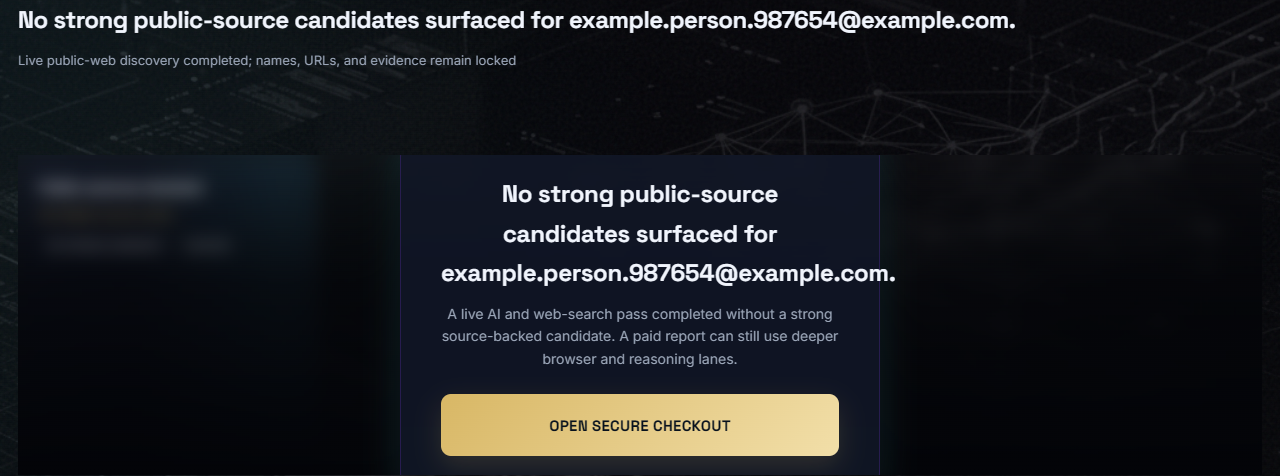
What if the email returns no results?
Try the username portion, research the domain, and check the address in a reputable breach-notification service. A zero result means the checked public sources did not support a match; it does not prove the address is new, safe, or unused.
How is this different from a people search?
People search begins with a name or location. Reverse email lookup begins with an exact address and looks for public pages, usernames, profiles, and exposure signals that cite or correlate with it.